
Safety Net
Safety Net is an online platform that provides employers with real-time access to employee training records from Construction Safety Nova Scotia (CSNS). There is no fee to access this service.
Through Safety Net, CSNS has replaced paper certificates with digital records. Employers can view and verify employee training history online, while workers can access their own records through their Training Record and Certification (TRAC) Cards.
Safety Net now allows employers to register and pay for scheduled training courses directly through the platform, making it easier to manage employee training from start to finish.
If you are an employer, follow the steps below to set up your Safety Net account.
Please note: The first Safety Net user registered on behalf of your company will be the Primary Administrator and will be responsible for approving and denying any additional users on behalf of your company.
For your first Safety Net user:
Step 1: Go to https://constructionsafetynsonline.ca/safetynet/
Step 2: On the bottom of the screen, click: “New to Safety Net? Register here.”
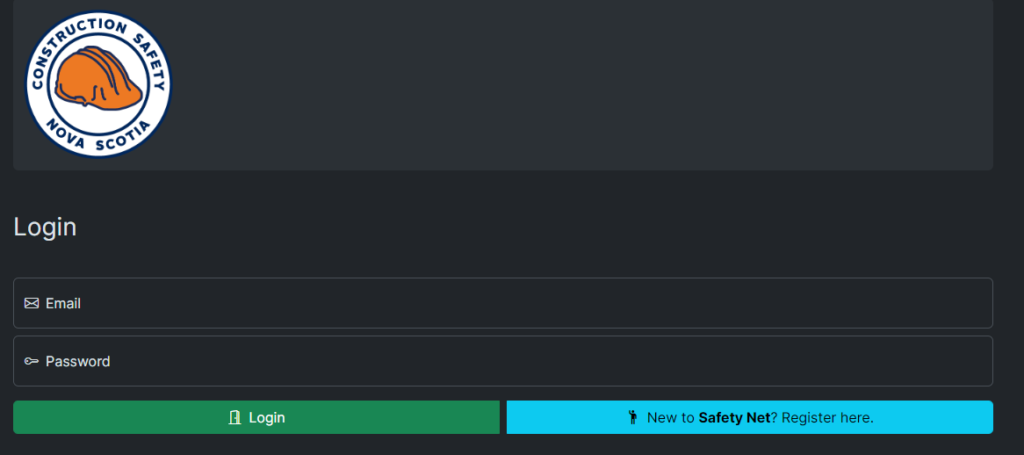
Step 3: Complete the Safety Net Registration form. You will need your CSNS Company ID to complete this form. If you do not know your Company ID, please contact CSNS at 1-800-971-3888 or safetynet@constructionsafetyns.ca.
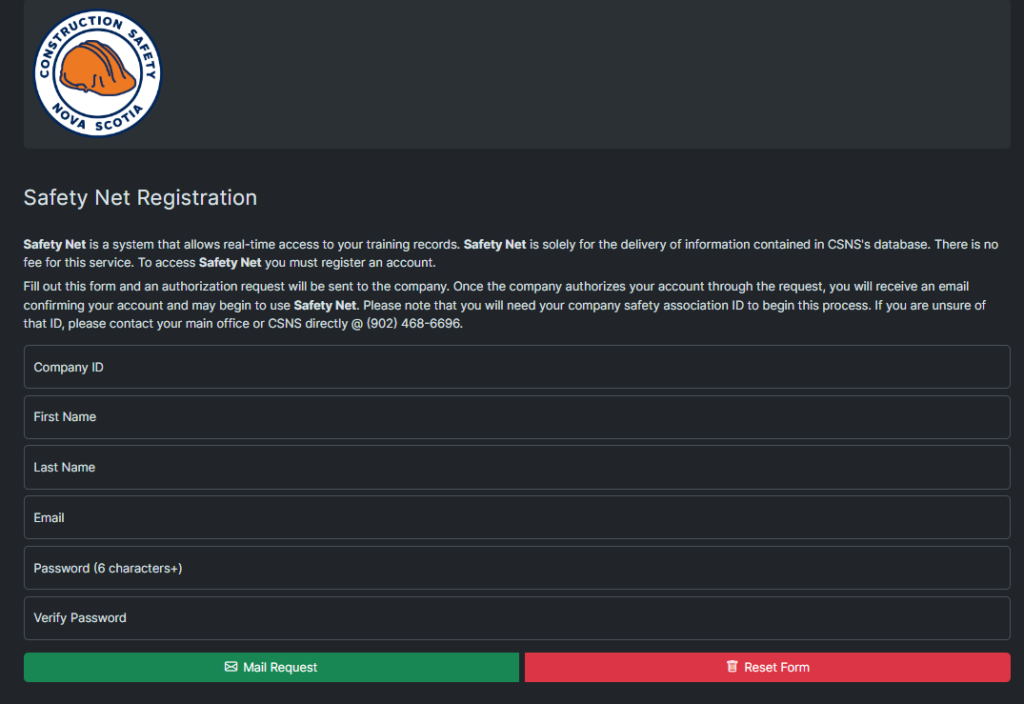
Step 4: You will receive a consent form from CSNS via the email entered on the registration form. You will need to sign and return this consent form via email. Once your form has been processed, you will receive email confirmation that your account has been created.
Step 5: Go back to https://constructionsafetynsonline.ca/safetynet/. Use your email and password to login.
To add additional Safety Net users:
Step 1: Go to https://constructionsafetynsonline.ca/safetynet/
Step 2: On the bottom of the screen, click: “New to Safety Net? Register here.”
Step 3: Complete the Safety Net Registration form. You will need your CSNS Company ID to complete this form. If you do not know your Company ID, please contact CSNS at 1-800-971-3888 or safetynet@constructionsafetyns.ca.
Step 4: The primary administrator of your company’s Safety Net account will receive an email to approve your account. Once they approve the request, you will receive a confirmation email.
Step 5: Go back to https://constructionsafetynsonline.ca/safetynet/. Use your email and password to login.
Once your company has registered and you’ve received your approved access email, follow the steps below to register a student in SafetyNet.
Step 1: Go to https://constructionsafetynsonline.ca/safetynet/
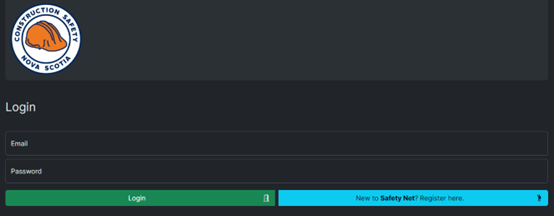
Step 2: On the bottom of the screen, click: “Login.” Enter your email address and password.
Step 3: From the top menu, click “CSNS Schedule”.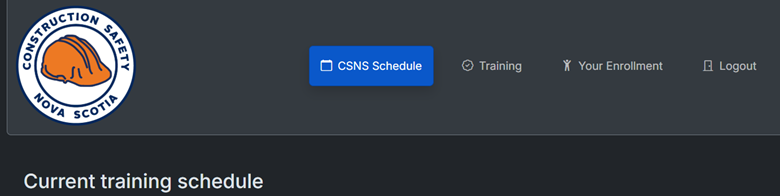
Step 4: The CSNS training calendar will appear. You can: Navigate by month using the blue left and right arrows above the calendar and filter courses by Course or Area using the dropdown menus.
Each calendar event shows: Course name, Start time, Number of available seats, and Colour coding by geographic area
Note: Courses that are full will appear greyed out and cannot be selected for registration.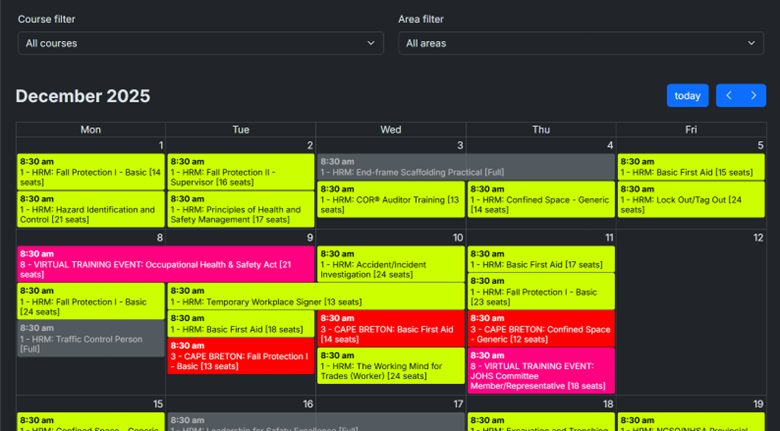
Step 5: Once you’ve selected your desired course and date (with available seats), double-click on the calendar event. A registration window will open with five sections: Course Details, Current Enrollment, Trainee Selection, Payment & Agree to Terms.
Step 6: Review the Course Details and Current Enrollment sections for accuracy. Scroll to Trainee Selection and type the name of the student you wish to register.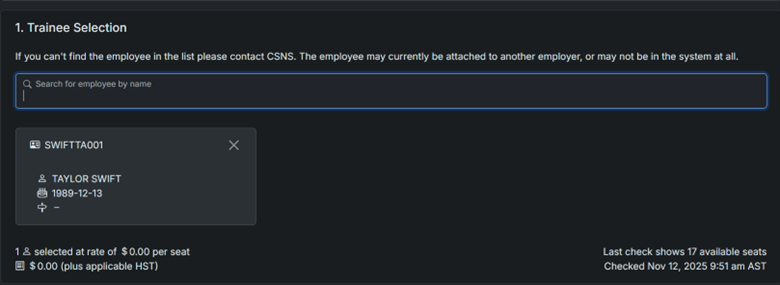
Step 7: Choose your Payment Type, agree to the terms, and click Submit.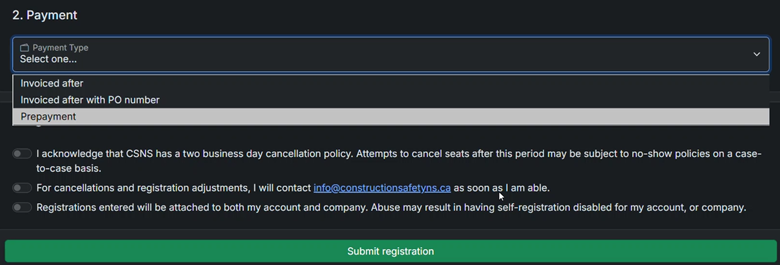
Step 8: Both the student and the person completing the registration will receive a confirmation email.
If your credit card isn’t going through, start by double-checking that your card number, expiry date, and security code (CVV) are entered correctly. Make sure your billing address matches what’s on file with your bank. If everything looks right and the payment still won’t process, try using a different browser or device, or contact your credit card provider to confirm the payment isn’t being blocked for security reasons.
If you’re still having trouble, reach out to us by phone at 902-468-6696, 1-800-971-3888 (TF within Nova Scotia) or email receivables@constructionsafetyns.ca and we’ll be happy to help.
If a current employee’s record does not appear in your SafetyNet account, please contact Construction Safety Nova Scotia at 1-800-971-3888 or email safetynet@constructionsafetyns.ca. Our team will create or link the student profile to your company account.
The Training Record and Certification (TRAC) Cards are physical cards that provide a personalized link and QR code to an online record to a student’s training with Construction Safety Nova Scotia. From their online record, a student can view their completed training, their certification expiration dates, and they are able to download a certificate of completion for each of their courses*. TRAC Cards are a personal training record and are the property of each individual student. They should be treated like personal ID or banking cards and kept safe.
*Please note: Courses that are provided by an external provider will be listed on your online record, but the certificate will not be downloadable from your online record. For a full listing of these courses, see A course is on my employee’s record, but it is missing a downloadable certificate.
They will receive their TRAC Card when they complete their next in-person or virtual course.
Employers can request cards for their employees by requesting a TRAC Card Order Form via email from info@constructionsafetyns.ca.
The link and QR code on a card will be active when the student receives it. Please allow up to seven business days for a course to appear on their online record.
For more information, visit our TRAC Card FAQ.
Your employees can access their online record by using the personalized URL on their TRAC Card, or by using a camera on a web-enabled smartphone or tablet to scan their QR code.
Please allow seven business days for a course to appear on their online record. This time accounts for grading and processing. If it has been more than seven business days since the course, please call 1-800-971-3888 or email safetynet@constructionsafetyns.ca and we will help to resolve the issue.
Courses that are provided by an external provider will be listed on the online record, but they will not have a downloadable certificate. These courses are:
- Mental Health First Aid Certification
- The Working Mind for Trades (Worker)
- The Working Mind for Trades (Supervisor)
- Temporary Workplace Signer
- Traffic Control Person
- H2S Awareness (Online)
- Rigging Awareness (Online)
- Scaffolding Awareness (Online)
Separate certificates will continue to be issued for these courses.
If there is an error in the information on your online record, please call 1-800-971-3888 or email safetynet@constructionsafetyns.ca and we will help to resolve the issue.
If an employee has left your company, please contact CSNS at 1-800-971-3888 or safetynet@constructionsafetyns.ca, and we will remove the record from your account.
To add an employee to your company, please contact CSNS at 1-800-971-3888 or safetynet@constructionsafetyns.ca, and we will create or the student profile to your account.